Security over the internet:
viernes, 18 de diciembre de 2015

FOLLOW ME
Follow Me! was a series of television programmes produced by the BBC in the late 1970s to provide a crash course in the English language.
It became popular in many overseas countries as a first introduction to
English; in 1983, one hundred million people watched the show in China
alone, featuring Kathy Flower.
The British actor Francis Matthews hosted and narrated the series.
The course consists of sixty lessons. Each lesson lasts from 12 to 15 minutes and covers a specific lexis. The lessons follow a consistent group of actors, with the relationships between their characters developing during the course.
Different varieties of English are presented.
The British actor Francis Matthews hosted and narrated the series.
The course consists of sixty lessons. Each lesson lasts from 12 to 15 minutes and covers a specific lexis. The lessons follow a consistent group of actors, with the relationships between their characters developing during the course.
Different varieties of English are presented.
miércoles, 16 de diciembre de 2015



jueves, 10 de diciembre de 2015
FIREFOX ADD-ONS
Each add-on specifies which applications and versions it works with. These add-ons are really interesting and we can use them for instance to download videos or mp3 (easy youtube downloader) files from youtube; and many other interesting actions.

HOT POTATOES
HOT
POTATOES SUITE
Hot
potatoes includes six applications.
These
applications enable you to create interactive:
Multiple
choice
Short-answer
Jumbled
sentences
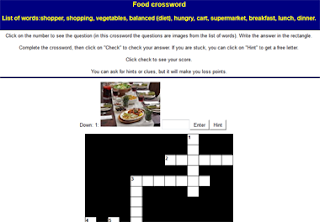
Crosswords
Matching
and ordering
Gap-fill
exercises.
They
can be uploaded to the World Wide Web.
Hot
potatoes is freeware, and you may use it for any purpose or project.
Jmatch:
matching and ordering.
Jcross:
crossword
Jmix:
jumbed sentences
Jcloze:
fill in the gaps
Jquiz:
multiple choice, true or false, text entry or short answer.
Hot
Potatoes suite: the masher
The
masher is a tool for automatically compiling hot potatoes exercises
into units.
Imagine
you have five hot potatoes exercises that form a single unit
materials and you want to build HTML from all the exercises, with the
same colours and appearance settings; you also want to link the
exercise together using the navigation buttons, and create an index
file for the unit. The masher will do it for you.
SHARED
ASPECTS
Files
designed with HP should be saved in two different formats:
HP FILE
(extensions: jmt, jms, jqz, jcl, jcw)
HTML
FILE (to be used with any web browser)
JMIX
A Jmix
activity produces a jumbled word or sentence activity.
Letters
of a single word may be jumbled, or the words of a sentence.
Jmix
uses the standard and drag-and-drop types of output files should be
saved in towo different formats.
JQUIZ
Jquiz
can create four different types of questions:
Multiple
choice
Short-answer
hybrid
(a short-answer question that turns into a multiple choice questions
after several attempts), and
multi-select
(in which the learner has to choose several of a set of options, then
check the choices).
JMATCH
The
Jmatch program creates matching or ordering exercises.
A list
of fixed items appears on the left (These can be pictures or text),
with jumbled items on the right.
This
can be used for matching vocabulary to picture or translations or for
ordering sentencesto form a sequence or a conversation.
MULTIPLE
CHOICE JQUIZ
The
learner choose an answer by clicking on a button.
If the
answer is correct, the button caption will change to a smily face :-)
and if it is wrong, it will change to an x.
In
either case, the student will see the feedback specific to that
answer, explaining why it is right or wong (assuming you write the
feedback when you make the exercise!).
If the
answer is wrong, the learner can continue choosing answer until a
correct answer is selected.
Once a
correct answer is chosen, the scaring is “frozen”, but the
learner can still click on buttons to see the feedback for other
answers without penalty.
JCLOZE
Jcloze
program creates gap-fill exercises.
Unlimited
correct answers can e specified for each gap, and the student can ask
for a hint and see the letter of the correct answer.
A
specific clue can also be included for each gap.
Automatic
scoring is also included. The program allowa gapping of selected
words, or automatic gapping of every new word in a text.
REMEMBER
Files
should be saved in the same folder.
HP does
not include software for the edition of images, sound or video.
Suggested
software: Gimp, Youtube editor, Audacity,...
Use
long names, without spaces.
Browsers
read spaces as : 20%
There
may be naigation errors. Reading_in_English …..Reading in English.
martes, 8 de diciembre de 2015
sábado, 5 de diciembre de 2015
INTERACTIVE WHITE BOARDS, FOR OR AGAINST?
Reasons against using interactive whiteboards
Tight budgets
Interactive whiteboards are not cheap, and many educators believe that students are better served by allocating funds to teacher salaries.Traditionalist educators
According to Education Week, one of the biggest complaints about interactive whiteboards is that they are often underutilized by poorly trained or technically-challenged teachers.Reasons in favor of using interactive whiteboards
Powerful visual tools for teachers
Using interactive whiteboards, teachers can create lessons that incorporate video, moving diagrams, and online content to help explain difficult material and to keep students engaged.Ability for students to interact
 Students can interact in a variety of ways with whiteboards, including
writing on them, manipulating objects in matching or sorting games, or
voting on answers with the help of handheld devices.
Students can interact in a variety of ways with whiteboards, including
writing on them, manipulating objects in matching or sorting games, or
voting on answers with the help of handheld devices.

Display student projects
Interactive whiteboards allow teachers to showcase projects that students have created using software such as PowerPoint. These types of projects may look more impressive on a big screen, and most students enjoy seeing their work displayed in this fashion.
Suscribirse a:
Entradas (Atom)