Buscar este blog

miércoles, 27 de enero de 2016

READING ALOUD?

  • Reading aloud or reading silently.
  • Silent reading: Scanning, skimming, intensive and extensive.

 Reading aloud

FOR:
  • In the first years of primary education storytelling plays an important role in the process of learning.
  • More effective if the story is told (or read) aloud due to the fact that learners become more involved and consequently more motivated.
  • Students can show that they recognize written and spoken forms and the relationship between form and meaning.
  • At early and intermediate levels can be used to check bottom-up processing skills or simply pronunciation.

AGAINST
  • It is not a very authentic activity.
  • It is a boring activity because while one student is reading, the others can easily lose attention.
  • It’s not an interactive activity because students only have to recite.

 Silent reading

  • The most common and natural type of reading.
  • Different goals can be pursued depending on the predetermined purpose of reading:
Scanning: search of specific information within a text: relevant dates, numbers in a directory, times on a timetable or key concepts in an academic text.
Skimming. Very common in everyday life; used to get a global impression of the content of a text (the gist of the text). Requires a definite reading competence because it implies an overall view of the text. It Develops students’ self-confidence since they obtain a lot of information without needing much reading.

lunes, 18 de enero de 2016

PLANNING

A didactic planning for each area will be elaborated by the team that teaches in the same school year.
Didactic plannings must include:
  • Sequence and timing of the contents.
  • Profile of each key competence or relation between the evaluative learning standards and each competence. It will make the ealuation easier. 
  • Evaluation criteria.
  • Sarategies and instruments for the students' learning.
  • Methodological and didactic decisions.
  • Procedures of elaboration and evaluation of the curricular adaptations. 
  • Didactic resources.
  • Students' materials, including textbooks. 
  • Program of extra-curricular and complementary activities.
  • Evaluation Procedure of the didactic planning and its indicators. 

viernes, 15 de enero de 2016

VENTAJAS Y DESVENTAJAS DEL USO DE LAS TICs EN EL AULA


La tecnología y el uso de ella trae consigo tanto aspectos beneficiosos y ventajosos como inconvenientes y desventajas. La inclusión tecnológica en las aulas pues, es un tema para reflexionar.
Por un lado hablando de las ventajas que nos proporcionan las TICs, podemos decir que algunas de ellas son que:
1. Son motivadoras. La motivación es nuestra arma como maestros, ya que la utilizaremos para llamar la atención de nuestros alumnos, por lo que a partir de esta novedad y de este recurso podemos ofrecer multiples lecciones partiendo del interés del pequeño e interactuando con él. Si un determinado recurso es atractivo para el niño, facilitará el entendimiento y la curiosidad de este.
2. Creamos Background informático, es decir, que mediante el uso de las TICs podemos ofrecer diferentes cambios de renovación, mediante la experiencia sin tener que caer en la brecha digital
3. Es un recurso muy útil para los niños que poseen Necesidades Educativas Especiales (NEE), puesto que les proporciona diferentes métodos para aprender de una manera más fácil y divertida
4. Pensamiento divergente, es decir, que la persona desarrolla un tipo de pensamiento natural que tiene el ser humano por hipervínculos, promoviendo el aprendizaje de un modo divergente.
5. Por otra parte el uso de las TICs facilita la interactividad entre profesor-alumno.
6. Se produce un cambio en los esfuerzos tradicionales en la escuela de memorización, retención...
Al ver las ventajas que pueden ofrecer el uso de las TICs en el aula, es muy probable que muchos de los profesores, introduzcan el uso de la tecnología en su aula, siempre que estén a su disposición.
Pero, por otro lado podemos decir que las tecnologías no son todo ventajas, como hemos dicho también tienen desventajas, por lo que también hay que tener en cuenta:
  1. La configuración de los dispositivos puede ser muy problemática.
  2. Demasiado caro para poder permitírselo en todos los colegios, ya que no todos tienen la misma situación económica.
  3. Difícil para los profesores usar las TIC debido a su falta de experiencia. Tendrían que actualizarse continuamente. 
Una vez tenemos claro que las tecnologías pueden ofrecernos tanto desventajas como ventajas según nuestra utilización, como maestras tenemos que tener claro que estamos en una sociedad en la que la tecnología avanza, y nosotros tenemos que hacerlo con ella.
Una de las condiciones del currículum es la utilización de las tecnologías en el aula, por lo que su uso es fundamental, sabiendo que eso si, no podemos tenerlas como algo que supere al maestro, sino al servicio de la enseñanza, que ayude a los alumnos a comprender conceptos, que estén atentos, pero que si nos falla no alarmarnos.
Todas las desventajas plasmadas tienen una doble cara, ya que podemos remediarlo y el remedio son las ventajas. Las únicas desventajas que por ahora no se han solucionado y que están investigando son que son caras y por otro lado que fallan.


miércoles, 13 de enero de 2016

TICS EN LA LOE Y LOMCE

La educación es el proceso mediante el cual el ser humano adquiere valores, conocimientos, costumbres, formas de actuar y de ser, que le permiten desenvolverse en la vida.
Al fin y al cabo, podemos constatar que la educación nos vale en la vida para poder desenvolvernos fácilmente en ella. A día de hoy las tecnologías de la información están al orden del día, y una persona incompetente en este campo, es una persona que se encuentra en franca desventaja con aquellas personas que lo dominan.

La LOE y la LOMCE son leyes muy parecidas, ya que en mi opinión, la última se redactó a través de un borrador de la primera, cortando y pegando las mínimas diferencias que querían incluir.
La LOE concibe las TIC como nueva herramienta que se plantea como instrumento de aprendizaje, lo que abre la posibilidad de una asignatura determinada, y también transversal.
De otra parte, pretende dotar al alumnado de un sentido crítico tanto como generador de mensajes y como receptor de los mismos.
La LOMCE, propone que primero se debe de tratar de paliar las desigualdades y dotar a todos los centros de los recursos necesarios.
El Ministro de educación presentaba solemne hace unos días la LOMCE, una nueva ley educativa, que, como otras, adolece de falta de realismo al haber sido elaborada por personas ajenas a la docencia. Uno de los puntos fuertes de la misma es la apuesta por las TIC. La ley habla de ellas como si nada se hubiera hecho en los últimos años, lo cual es muy injusto, ya que miles de docentes, sacando tiempo de sus horas de descanso, han ido incorporando las TIC al aula porque consideraban que eran importantes para el alumnado, pero sin recibir apenas apoyo ni reconocimiento. Lo han hecho a pesar de los escasos medios con los que contaban, aunque esto varía y depende de cada centro. Otra desigualdad más, unos centros están mejor dotados que otros, lo que provoca agravios comparativos.

Dejando de lado toda la polémica que se podría hacer de éste tema, desde mi humilde punto de vista he de decir que lo que se ha de hacer, no es que cada vez que un partido gane las elecciones cambie la ley de educación, sino que se ha de llegar a un consenso entre ambos y sobre todo teniendo muy en cuenta la opinión y las aportaciones de todos y sobre todo de los docentes, que son los que más han de decir acerca de éste tema, que les toca más.

domingo, 20 de diciembre de 2015

MY FUTURE CLASS 2.0

 Os quiero presentar la "maqueta" de mi futura clase. Al final me he decidido por el programa que podréis encontrar en la esta página web:

En clase Julio nos propuso un par de programas, http://kaplan.floorplanner.com/start#details y http://classroom.4teachers.org/, y nos dijo que había muchísimos más, así que me puse manos a la obra a buscar y encontré éste otro. Me decidí por Teq por que refleja de una forma más detallada la presencia de las tecnologías de la información en la educación. He de decir que no tiene mucha variedad en cuanto a inmobiliario, a mí personalmente me hubiese gustado incluir un par de estanterías y un par de taquillas al fondo de la clase para el alumnado. finalmente me decidí por éste programa, y en mi clase podéis ver que la distribución de la clase se hace a partir de grupos de cuatro, grupos que no siempre estarán compuestos por los mismos miembros sino que irán rotando después de la finalización de cada unidad didáctica, atendiendo a un test sociométrico previamente realizado a la clase analizando las relaciones sociales que se establecen entre los miembros del grupo, en concreto tres aspectos: el nivel de afectividad, el liderazgo y el rechazo, y los subgrupos. La clase consta de ocho mesas, una del profesor, tres redondas con una Tablet para cada alumno en las que los alumnos trabajarán utilizando Internet, otras tres rectangulares en las que los niños tienen elementos para jugar con los que también aprenderán cosas muy valiosas y dónde también tienen un sistema de respuesta para comunicarse con el resto de la clase y participar a pesar de estar un poco más alejados de la clase. Entre ambas líneas de trabajo podemos ver dos pequeñas mesitas interactivas donde podrán consultar sus dudas acerca del tema. A la derecha de la mesa del profesor podemos encontrar una mesa de debate en la que los alumnos que tengan algún problema, irán a solucionarlo pacíficamente con la presencia de un alumno que actuará de juez, y dos alumnos que actuarán de letrados de los alumnos que participan en el conflicto, siempre bajo la supervisión del profesor.

La clase consta de dos pizarras digitales, una que utilizará el maestro y la otra que la utilizaran los alumnos ya que se trata de una pizarra en la que pueden interactuar varios alumnos a la vez, una televisión para analizar contenidos televisivos en algunos momentos y una pequeña pizarra digital en la que los alumnos tendrán puestas las normas del aula. Y en una clase así no nos puede faltar una pequeña zona verde donde encontramos plantas y un pequeño acuario con una mascota que la clase se ocupará de cuidar, para desarrollar así un sentimiento de responsabilidad bastante bueno. Y bueno con tantas cosas tan buenas ya sólo hace falta una maestra que se haga cargo de utilizarlo de manera que repercuta de buena forma en el alumnado y que trate de enseñar, cuidar y ayudar a sus alumnos lo mejor que pueda.


sábado, 19 de diciembre de 2015

DISTRIBUCIÓN DEL AULA

DISTRIBUCIÓN DEL AULA

El día a día va avanzando a una manera brutal. Tenemos que adaptar este rápido avance de las tecnologías al aula, debido a que por un lado, a los niños de seis a doce años les motiva el saber que van a aprender de una manera dinámica y divertida, y no de la manera monótona que habido en el sistema educativo español durante varios años. También (bajo mi propio punto de vista) pienso que es necesario realizar este cambio y adaptarnos, debido a que no nos podemos estancar a la hora de trabajar y educar a los niños en cualquier área de conocimiento. Debemos avanzar y cambiar la manera de educar para poder asegurarnos que los niños vuelven a sentir ganas por aprender y, con ayuda de las Tic, se puede lograr.
Uno de estos pasos para lograr el "cambio", es modificar la distribución de la clase (Clase 2.0). Muchos colegios y escuelas aún tienen la llamada "aula del cogote" en la que los niños se sientan uno detrás de otro individualmente y atienden a la cabeza pensante, que es el profesor. Pero en mi opinión este tipo de administración de alumnos sería mucho más eficaz trabajando cooperativamente y sentados en grupo, ya que así se pueden ayudar unos a otros.

viernes, 18 de diciembre de 2015

SECURITY

Security over the internet:


FOLLOW ME

Follow Me! was a series of television programmes produced by the BBC in the late 1970s to provide a crash course in the English language. It became popular in many overseas countries as a first introduction to English; in 1983, one hundred million people watched the show in China alone, featuring Kathy Flower.
The British actor Francis Matthews hosted and narrated the series.
The course consists of sixty lessons. Each lesson lasts from 12 to 15 minutes and covers a specific lexis. The lessons follow a consistent group of actors, with the relationships between their characters developing during the course.
Different varieties of English are presented.

jueves, 10 de diciembre de 2015

FIREFOX ADD-ONS


Each add-on specifies which applications and versions it works with. These add-ons are really interesting and we can use them for instance to download videos or  mp3 (easy youtube downloader) files from youtube; and many other interesting actions.


HOT POTATOES


HOT POTATOES SUITE

Hot potatoes includes six applications.

These applications enable you to create interactive:
Multiple choice
Short-answer
Jumbled sentences
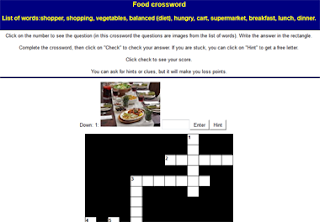
Crosswords
Matching and ordering
Gap-fill exercises.

They can be uploaded to the World Wide Web.
Hot potatoes is freeware, and you may use it for any purpose or project.

Jmatch: matching and ordering.
Jcross: crossword
Jmix: jumbed sentences
Jcloze: fill in the gaps
Jquiz: multiple choice, true or false, text entry or short answer.

Hot Potatoes suite: the masher

The masher is a tool for automatically compiling hot potatoes exercises into units.
Imagine you have five hot potatoes exercises that form a single unit materials and you want to build HTML from all the exercises, with the same colours and appearance settings; you also want to link the exercise together using the navigation buttons, and create an index file for the unit. The masher will do it for you.

SHARED ASPECTS
Files designed with HP should be saved in two different formats:
HP FILE (extensions: jmt, jms, jqz, jcl, jcw)
HTML FILE (to be used with any web browser)

JMIX
A Jmix activity produces a jumbled word or sentence activity.
Letters of a single word may be jumbled, or the words of a sentence.
Jmix uses the standard and drag-and-drop types of output files should be saved in towo different formats.

JQUIZ
Jquiz can create four different types of questions:
Multiple choice
Short-answer
hybrid (a short-answer question that turns into a multiple choice questions after several attempts), and
multi-select (in which the learner has to choose several of a set of options, then check the choices).

JMATCH
The Jmatch program creates matching or ordering exercises.
A list of fixed items appears on the left (These can be pictures or text), with jumbled items on the right.
This can be used for matching vocabulary to picture or translations or for ordering sentencesto form a sequence or a conversation.

MULTIPLE CHOICE JQUIZ
The learner choose an answer by clicking on a button.
If the answer is correct, the button caption will change to a smily face :-) and if it is wrong, it will change to an x.
In either case, the student will see the feedback specific to that answer, explaining why it is right or wong (assuming you write the feedback when you make the exercise!).
If the answer is wrong, the learner can continue choosing answer until a correct answer is selected.
Once a correct answer is chosen, the scaring is “frozen”, but the learner can still click on buttons to see the feedback for other answers without penalty.

JCLOZE
Jcloze program creates gap-fill exercises.
Unlimited correct answers can e specified for each gap, and the student can ask for a hint and see the letter of the correct answer.
A specific clue can also be included for each gap.
Automatic scoring is also included. The program allowa gapping of selected words, or automatic gapping of every new word in a text.

REMEMBER

Files should be saved in the same folder.
HP does not include software for the edition of images, sound or video.
Suggested software: Gimp, Youtube editor, Audacity,...
Use long names, without spaces.
Browsers read spaces as : 20%
There may be naigation errors. Reading_in_English …..Reading in English.

sábado, 5 de diciembre de 2015

INTERACTIVE WHITE BOARDS, FOR OR AGAINST?

Reasons against using interactive whiteboards

 Tight budgets

Interactive whiteboards are not cheap, and many educators believe that students are better served by allocating funds to teacher salaries.

Traditionalist educators

According to Education Week, one of the biggest complaints about interactive whiteboards is that they are often underutilized by poorly trained or technically-challenged teachers.

Reasons in favor of using interactive whiteboards

Powerful visual tools for teachers

Using interactive whiteboards, teachers can create lessons that incorporate video, moving diagrams, and online content to help explain difficult material and to keep students engaged.

Ability for students to interact

Students can interact in a variety of ways with whiteboards, including writing on them, manipulating objects in matching or sorting games, or voting on answers with the help of handheld devices.

Display student projects

Interactive whiteboards allow teachers to showcase projects that students have created using software such as PowerPoint. These types of projects may look more impressive on a big screen, and most students enjoy seeing their work displayed in this fashion.

viernes, 4 de diciembre de 2015

IWB

An interactive whiteboard is an instructional tool that allows computer images to be displayed onto a board using a digital projector. The instructor can then manipulate the elements on the board by using his finger as a mouse, directly on the screen. Items can be dragged, clicked and copied and the lecturer can handwrite notes, which can be transformed into text and saved.
They are a powerful tool in the classroom adding interactivity and collaboration, allowing the integration of media content into the lecture and supporting collaborative learning. Used innovatively they create a wide range of learning opportunities. However, in many environments they are not being used to their full potential, and in many cases acting as glorified blackboards. 

Connecting the IWB
-           Video connection (photos of each type of connection)


·         HDMI 


· RCA


· VGA


The usage of IWB in primary education.


miércoles, 2 de diciembre de 2015

HOW TO TEACH THE FOREIGN LANGUAGE


  • The knowledge children have of the languages they know has essenially been acquired through its use.
  • Therefore, this is the way it should be followed in the foreing language.
  • For that reason, the didactic approach should be focused on the use of the target language in the class.
  • The essential condition to facilitate this process is to focus the didactic intervention on a real and continuous use of the language, which acquires more importance if we consider that, in most cases, our boys and girls do not have more possibilities of contact with the foreign language than the one they have within the school framework.
  • The fact of starting from a very limited linguistic competence in most pupils, makes necessary to guide educational practice more to the establishment of this competence that to its developmente to improvement.
  • At the same ime, the communicative context should be used a as a support for the verification of the hypotheses formulated through the use for the verification of the hypotheses formulated through the use of the expressions and the positive or negative feedback that the context can provide.
  • Pupils should be given the opportunity to put into practice what they have been exposed to.
  • How can they learn a foreign language if they are not given the opportunity to practice it?
  • As a general rule, we can say that, at the beginning, most of the class time should be devoted to listening to an intelligible input and speaking (by repaeating, asking and answering questions, drilling, etc.).
  • Once they gain confidence (not acquire) in speaking adn understandig messsages in the foreign language, they can begin the process of reading and writing in that foreign language with vocabulary, set phrases,... they are familiar with in the FL and also in their mother tongue. “Do not introduce any concept which has not been acquiered in their mother tongue”
  • Summing up, following a Communicative Language Teaching Approach, the time the teacher is speaking, explaining, .. should be reduced and, the time the students are producing the foreign language increased. “The time the teacher talks should be reduced dramatically”.

viernes, 20 de noviembre de 2015

SOCIAL NETWORKS


Today we have focused on the use of social media in the classroom for the benefit of students. Social networks help us to concentrate a wide range of materials that we can use to work with children and to share useful with other classmates. The conventional use social networks are a great educational space to explore and exploit by teachers who can educate their students in charge of these tools, which are used in a bad way in their daily lives. Their proper use, can bring dynamism to education, quality, safety and creativity, and to promote individual and collaborative learning of the most outstanding students to those who have more needs.


An increasingly sense of educational community for students and teachers due to the proximity effect produced by social networks is appearing, therefore there is an improvement of the working environment among students to see everything as something new.

WAYS TO SHARE INFORMATION

  • Slideshare
  • SpeakerDeck (pdf) 
  • Isuu (pdf)
  • Authorstream (powerpoint)
  • Zentation (videos and power point)

lunes, 16 de noviembre de 2015

TOOLS TO SHARE FILES: P2P

Peer-to-Peer file sharing of computer files using a networking technology. P2P is a special kind of network type ('Network topology' is the fancy description). It describes computers that are networked to each other without a central server being in-between. It allowas users to acces media files such as books, musc, movies, and games using P2P.
The earliest one (Napster) to the latest one (BitTorrent protocol).
Several factor contributed to the widespread adoption of P2P file sharing:
  • Increasing Internet bandwidth.
  • The widespread digitization of physical media.
  • The increasing capabilities of personal computers.  
Software has been developed that can even put together a file from bits of the file stored across several 'peers' on the network. For example Bit Torrent can do this. The advantage is that no single computer needs to be over-loaded when a very popular / very large file is requested.