Buscar este blog

sábado, 3 de octubre de 2015

HARDWARE

The  term hadware refers to all tangible parts of a computer system.

The main component is  the motherboard :


It consists of:
-  C PU,  the central processing unit (the most expensive of the computer) and the main part.
-   MEMORY RAM,  where all data is stored.
-  CARDS.

Storage :                                                              
Disk.                                                                                                   


Hard drive.


USB.


Peripherals:  The drives or devices that allow the computer to communicate with the outside.


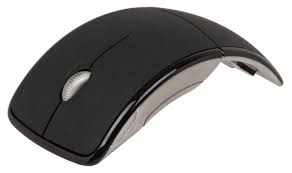
Mouse.


Keyboard.


Scanner


jueves, 1 de octubre de 2015

VÍDEO TUTORIAL PARA HACER UN BLOG


Tutorial video, how to open your own blog.


NEW INFORMATION TECHNOLOGIES?

Some years ago people refer to information technologies.
Hardware and software that allowed accessing, saving, organizing, manipulate... information with electronic media.
Nowadays transmitting information using different devices: telephones, satellites,
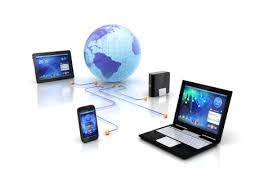
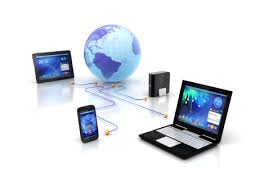
COMMUNICATION TECHNOLOGY is now the term used to refer to the devices that are necessary to connect to the internet.

ICT DEFINITION

Use of “computers” that control:
  • Hardware (scanner, Hi-Fi, printer,), including an internet connection.
  • Software (using the appropriate software).
  • Adapted to pupils characteristics and needs.
  • Producing just a focus of attention.
  • Everything monitored by a key board or a similar device.


    AUDIO PLAYER- THE SOUND

    • Most textbooks were supplemented with audiotapes to carry out listening activities.
    • Nowadays Cds and DVDs are replacing them.
    • Pupils can practice the listening activities at home.
    • There is a lot of material especially published for children.

    VCR AND CAMERA

    • VCR and cameras have not been used in our classrooms frequently.
    • We all know the power of attraction of TV sets.
    • In general, we could say that:
    • Movement and sounds are motivating.
    • They are easy to use, freeze, rewind,...

    • If students and teachers create their own materials, adapted to their needs and interests, these devices can be highly motivating.
    • They can play roles, investigate, discuss about the final product,...

    TV sets and Computers

    • The connection between a TV set and a computer is, nowadays, simpler than ever before.
    • Most TV sets have a S-VHS or HDMI connection.

    AUDIO-VISUALS

    • Overead Proyector,
    • Audio Player, Tv set,
    • Video and DVD Players and Cameras.
    • CD/casete recorder.
    • Easily portable.
    • Adaptability.
    • Low sound quality.

      • At the same time, DVDs are today highly affordable, with all the advantages they provide.


miércoles, 30 de septiembre de 2015

SWF

SWF (“Shockwave Flash”; later “Small Web Format”)
  • SWF files can be created with software such as Adobe Flash and other free applications, for example, MTASC o SWFTools.
  • The are run through a “plugin” called Adobe Flash Player.
  • Basically, it is a format with lots of animation possibilities.
  • They are normally small files and, consequently, they can be easily adapted for the WWW (animations, interactive activities,...)
  • They provide multiple functions and grades of interactivity.

HOW TO DOWNLOAD SWF
Tools+page info+media+ (look for the SWF)+ save as (and then save it in our desktop)

martes, 29 de septiembre de 2015

PRESENTATION SOFTWARES

POWER POINT
  • Microsoft Power Point is a presentation software.
  • Slides presentations, text and image animations, either imported or predesigned.
  • Different types of designs, fonts, templates, animation, etc. can be applied.
    • We can create an interactive quiz.


PREZZI
  • Prezzi is online presentation tool that has changed the way we make presentations.
  • It encourages a visual story presentation.
  • More than 40 million user in the world.
  • You can narrate a story and share it, embed it,..
POWTOON
  •  PowToon is an online business presentation software tool that allows you to create free, cool, and awesome animated video explainers


 VIDEOSCRIBE
  • Make your own whiteboard video animations with Sparkol VideoScribe
EMAZE
  •  Emaze is the next generation of online presentation software. ... Create a presentation & share it with the entire world using an automated translation tool.
GLOGSTER
  •  Glogster lets you create online multimedia posters. Combine all kinds of media on one page and create fantastic posters that really tell the story.

lunes, 28 de septiembre de 2015

NEW COURSE


After thinking about whether to keep it or start a new blog, I decided to continue with it; because I like the idea of ​​creating an everyday learning diary. 
It will probably be helpful for future students, teachers and of course a corner where I can find very interesting things (links, videos, worksheets, ...) 
A new course has started, different partners, subjects and teachers and this blog now includes a diary of what we are doing in the subject INFORMATION AND COMMUNICATION TECHNOLOGY and  in the subject PROCESSES AND RESOURCES FOR THE FOREIGN LANGUAGE. The professor teaching these subjects is Julio Ramirez Torrecillas and he tries to teach us how to catch students attention with regard to ICT and to avoid falling into obsolescence with our future students as well as the different methods, approaches and resources when teaching primary education.